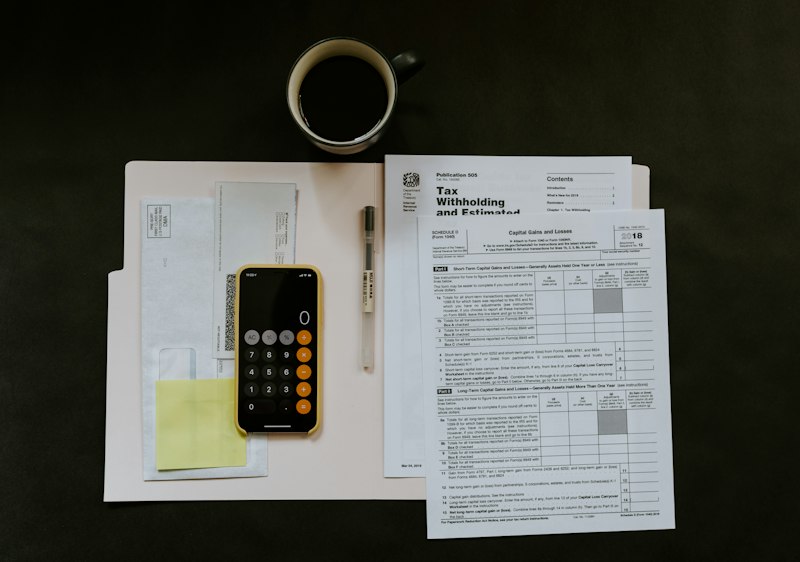
Mark Paid and Unpaid Costs in Your Monthly Household Budget
Create a monthly payment-status register from existing bills and statements, keeping planned household costs separate from verified payments and unresolved items.

To record which household costs have been paid, add a payment-status register alongside your monthly budget. Give each planned cost its own row, keep its planned amount visible, and use existing bills and statements to record payment evidence. Keep the monthly cost total separate from the unpaid list: marking a cost as paid should not remove it from that month’s plan.
MoneySense describes a budget as a way to plan income, savings, spending and liabilities, while showing where money comes from and goes. [1]
The worksheet below is an optional way to organise those records for a Singapore household. It focuses on payment status within a monthly plan. It does not attempt to reconstruct your bank balance or replace your purchase records.
Choose the month and record its planned costs
Start by labelling the register with the budget month. You can copy the planned costs from your existing household budget, then attach or reference the bills and statements you already hold. Keep the original planned amount in its own column throughout the review.
MoneySense’s expense checklist covers commitments such as transport, utilities, repayments and financial support for dependent children or parents. These are relevant considerations when assembling the household’s monthly expense list. [1]
For this optional register, choose the level of detail already used in your plan. A row could represent a named bill, a rent payment or a planned family allowance. Avoid putting a broad category total and all its component bills into the same summed column. Choose either the total or its components for that calculation.
You can use these fields:
| Field | What to enter |
|---|---|
| Cost description | The bill or commitment covered by the row |
| Budget month | The month to which you assigned the planned cost |
| Planned amount | The amount already included in your monthly plan |
| Bill reference | A filename, statement description or other record reference |
| Due date | The date shown on an existing bill, where relevant |
| Payment status | A label supported by the records reviewed |
| Verified payment | The amount and date evidenced in the payment record |
| Open note | Missing evidence, an amount to check or a follow-up reminder |
For a cost with no bill, you can reference the existing planned-cost entry. Leave any unknown due date marked as unknown; do not invent a date to fill the column.
Add payment statuses with supporting references
Choose a small set of labels and define them at the top of the register. One optional set is: planned, awaiting payment, partly paid, paid and unresolved. Use the same meaning each time you apply a label.
Under this approach, use “planned” for a cost entered from the budget without a supporting bill yet attached. Use “awaiting payment” when the cost is documented and you have established that payment remains outstanding. If you simply cannot find payment evidence, mark the status unresolved instead of assuming it is unpaid.
Reserve “paid” for a row whose payment is supported by the records you have checked. Add the payment date, amount and statement reference alongside the label. Keep a scheduled payment instruction as a separate note until you have evidence of the completed payment.
You can retain both the bill reference and the payment reference on the same row. Treat them as supporting records for that cost, rather than adding their amounts together as separate expenses. This register need not repeat the item-level detail in your purchase records.
Handle partial payments and unresolved records
For a partly paid bill, you can retain the documented bill amount and record each verified payment in a linked note. Only calculate an outstanding amount when the bill amount and the payments assigned to it have been established. Keep that calculation separate from the original monthly planned amount.
If a statement entry is unclear, place it on an unresolved list with its date, description and amount as shown. Do not assign it to a household cost merely because the amount looks similar. Review the relevant records before changing a row’s payment status or totals.
Likewise, leave an uncertain cost amount visibly unresolved. Do not enter zero as a substitute for missing information. If you total only the established entries, label the result as a subtotal and name the outstanding items beside it.
Where a payment falls outside the budget month, you can retain the month assigned in the plan and record the actual payment date separately. Add a note explaining the assignment. Do not move or copy the expense solely to make its payment date match the register heading.
Keep the planning calculation separate
MoneySense recommends building the monthly income figure from earnings you can depend on, rather than including uncertain bonuses or commissions. [1]
Use a separate summary area for dependable monthly income, total monthly planned costs and the difference between them. Keep the paid and unpaid status columns outside that calculation. Subtracting only unpaid costs from monthly income would leave out costs already paid during the month.
The hypothetical example below illustrates monthly income minus costs. It assumes fixed monthly income and costs, no opening savings, interest, fees, withdrawals or unexpected costs, and that all surplus is set aside each month. Its results are not a forecast.
Hypothetical cash-flow example
These invented figures demonstrate arithmetic, not typical incomes or recommended spending amounts. Assume take-home income and all planned costs stay the same each month. Costs include essentials, required debt payments and other planned spending. Start with no money set aside for this example; assume no interest, fees, withdrawals or unexpected costs.
| Item | Amount |
|---|---|
| Monthly take-home income | S$4,600 |
| Total monthly planned costs | S$3,700 |
| Monthly amount left: 4600 minus 3700 | S$900 |
| Amount set aside after 6 months: 900 times 6 | S$5,400 |
This total is possible only if the full amount left is set aside each month under these assumptions. It is not a forecast. If income falls or costs rise, recalculate before choosing an amount to set aside.
A monthly planning surplus does not show the cash available today or before a bill is due. Check the current balance and the dates and amounts of expected income and payments before setting money aside; keep money needed for bills available.
The difference is a planning surplus. It does not establish cash available on a particular date. A dated balance also requires the starting balance and the dates and amounts of income and payments. Payment-status notes alone do not supply that calculation.
Review the monthly register
MoneySense advises monitoring a budget and adjusting it when circumstances change, including changes in pay or family composition. [1]
For your register, you can choose a monthly review date and work through the unresolved notes. Attach newly available records, update supported payment statuses and carry forward any open questions with their original references. Keep unresolved items visible when closing the month.
If a bill differs from the planned amount, retain both figures in separately labelled fields. You can note whether you want to revise a later monthly plan, without overwriting the original plan or treating the difference as an additional expense.
FAQ
Should I delete a cost once it is paid?
Keep it in the month’s register and update its status. Retain the planned amount and payment reference so that the row continues to show both the plan and the supporting payment record.
Can I treat the unpaid total as my remaining bank balance?
No. The unpaid total describes the commitments recorded in that list. A bank balance calculation needs a starting balance and dated inflows and outflows, including any relevant transactions outside the list.
What should I do when a payment cannot be verified?
Mark the status unresolved, retain the available records and write down what needs checking. If the cost itself is established, keep it recorded; uncertainty about payment status is a separate question from whether the cost belongs in the plan.
This article is general information, not personal financial advice.